
Bde99 App — The Best Gaming Experience on Android & iOS
On the bus, at the office, or in bed late at night — play anytime, anywhere with the bde99 app. Lightweight, fast-loading, and easy to navigate, it's built with Bangladeshi users in mind.
Bde99 App — The Best Gaming Experience on Android & iOS
Browser vs. App — once you've tried the app, you won't go back to the browser
Loads 3x faster than a browser. The bde99 app runs smoothly even on slow connections — no issues on 3G.
Get instant notifications for new bonuses, tournament kick-offs, and withdrawal approvals. Never miss an offer again.
Log in with your fingerprint or face unlock. No more typing passwords — just one touch to get into your account.
Some features remain accessible even without an internet connection. Everything syncs automatically once you're back online.
The bde99 app runs in dark mode by default. No eye strain during late-night sessions.
All transactions are protected with SSL/TLS encryption. Your personal information and payment data are completely secure.
Smartphones today are much more than devices for making calls — they're the primary hub for entertainment. Millions of people in Bangladesh access the internet through their phones, and a large share of them are interested in online gaming. With that demand in mind, bde99 built its own mobile app — not just a place to play games, but a fully featured gaming platform.
Many platform apps turn out to be nothing more than a browser wrapper on mobile — slow to load, cluttered interfaces, and you constantly have to jump into a browser just to make a payment. The bde99 app was built from the ground up to solve exactly these problems. It's a native application that runs natively on both Android and iOS.
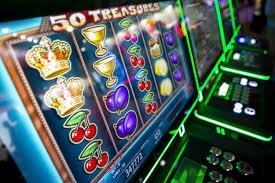
Bde99 app interface — easy navigation and fast game loading
Not all gaming apps make it onto the Google Play Store — most of you already know that. That's why bde99 lets you download the Android APK directly from their website. The installation process is slightly different from the usual, but it's straightforward. Follow the steps below.
Go to Settings > Security (or Privacy) > Unknown Sources and enable it. You only need to do this for the APK installation — you can turn it off again afterwards.
Click the download button on this page. The file will be saved to your phone's Downloads folder. The file size is just 25 MB.
Go to your Downloads folder and tap the bde99.apk file. Hit the "Install" button — it'll be done in just a few seconds.
You'll see the bde99 icon on your home screen. Tap it, log in to your account, and start playing.
IPhone and iPad users can access the bde99 app in two ways. The first is installing the beta version via TestFlight. The second is the Progressive Web App (PWA) — open bde99.pro in Safari, tap the "Share" button, and select "Add to Home Screen". This creates an icon on your home screen and delivers a full app-like experience.
The PWA version comes with push notifications, fast loading, and fullscreen mode — the full package. iPhone users in Bangladesh tend to prefer this method, and the experience is completely smooth.
Bde99 App — The Same Experience Across iOS and Android
A fair question — why bother downloading the app when you can just play in a browser? It's true that the bde99 website works well on mobile too. But the app offers more. Games run smoother, you get push notifications, biometric login, and a range of other features that simply aren't available in a browser.
| Features | Bde99 App | Browser |
|---|---|---|
| Loading Speed | Lightning Fast | Medium |
| Push Notifications | Available | None |
| Biometric Login | Available | None |
| Offline Mode | Partial | None |
| Battery Usage | Low | More |
| Data Usage | Low | More |
| Home Screen Icon | Available | Manually |
The bde99 app gives you access to the platform's full game library. slots, Live Casino, Sports Betting, card games — all in one app. The Live Casino section is a standout feature, letting you play with real dealers in real time. Video streaming is smooth with minimal latency, even on mobile.
The Sports Betting section lets you place live bets on cricket, football, badminton, and more. Odds update in real time as the match unfolds, and the bde99 app reflects those changes instantly. While the browser offers this too, the app experience is smoother thanks to native push updates.

Bde99 App — Full Game Library from slots to Live Casino
Making payments on the bde99 app is just as easy as on the website — if not easier. Deep-link support for Mobile Banking, Nagad, and Rocket means you never have to switch apps to complete a payment. Just enter your Mobile Banking PIN directly within the bde99 app and your deposit goes through instantly.
Withdrawals are just as simple. Sending funds from your account to your Nagad or Mobile Banking number takes just a few taps. Transfers typically arrive within 15 to 30 minutes. You can track your withdrawal status in real time within the app, and you'll also receive a push notification when it goes through.
It's normal to feel hesitant about downloading an APK — but the bde99 app is completely safe. Every release is audited by a third-party security firm. The app contains no malware or spyware and has been verified by VirusTotal and multiple other scanners.
Just one thing to keep in mind — always download the APK from bde99's official site. Files from third-party sites or Telegram groups may carry risks. The official app comes with a SHA-256 checksum so you can verify the file's authenticity.
What existing bde99 app users are saying
I used to play in the browser and page loads took forever. After downloading the bde99 app, everything is so much faster. Paying with Mobile Banking is a lot easier now too.
I installed the PWA on my iPhone and it works just like a native app. I get notifications, it loads fast, and I didn't have to download anything separately — done straight from Safari.
Odds update really fast during live cricket betting. Fingerprint login means no more remembering passwords. The bde99 app is genuinely useful.
I was a bit nervous about installing the APK, but bde99's support team walked me through it step by step. No issues at all now — runs perfectly smooth.
I withdraw via Nagad — it used to take 1–2 hours, but now when I submit a request through the app, the money arrives within 15 minutes. You also get a notification when it's done.
Slot games run perfectly smooth on the app — no lag even on older phones. The dark theme on the bde99 app is easy on the eyes, great for playing at night.
Answers to the Most Frequently Asked Questions About the bde99 App